Keep What Matters Visible: Priorities and Stars
When everything feels urgent, nothing is. Priorities and stars give you two complementary tools for keeping what actually matters in front of you — one for the long view, one for right now.
Setting a Priority
Principal Task has five priority levels: Negative, Low, Medium, High, and Top. They represent a spectrum from work you want to track but de-emphasize to work that is absolutely critical.
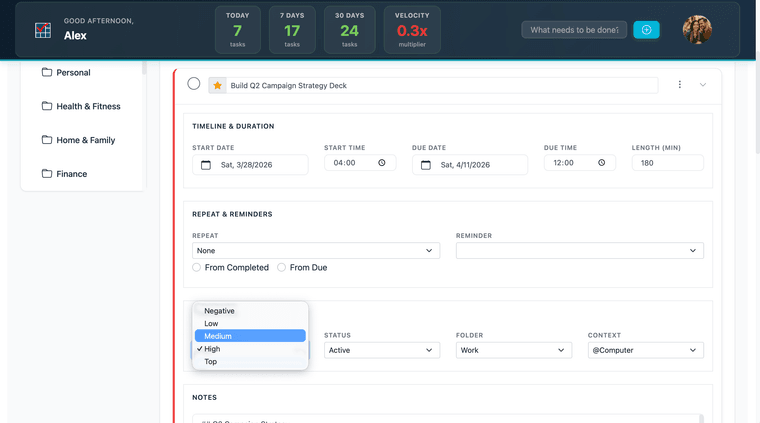
On web, open a task to view its detail panel. The Priority field is in the properties section — select a value from the dropdown.
Priority affects Kanban grouping: when the Kanban board is grouped by Priority, columns are organized by level. Priority is also filterable — see the Filtering section below.
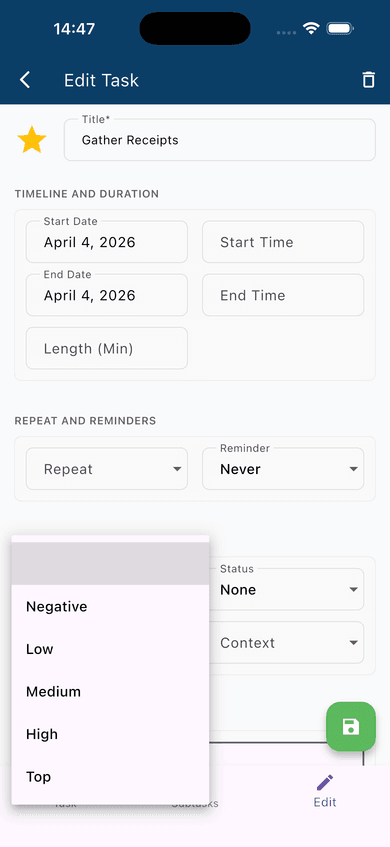
On mobile: Open a task to reach the edit screen. The Priority field is in the PROPERTIES section — tap the dropdown to select a level.
Starring a Task
The star is a lightweight, dynamic flag — not a priority tier, but a quick mark for tasks that need attention right now. Tap or click the star icon on any task to toggle it on or off. A filled star (★) means the task is starred; an unfilled star (☆) means it isn't.
On mobile, the star icon appears in the task editor header and in the task list row. On web, it appears in the task row in the list view.
Starred tasks can be filtered and surfaced independently of their priority, which is what makes the combination useful.
Filtering by Priority or Star
On web, open the filter dialog (via the filter icon in the task list toolbar). The custom filter supports Priority and Star as filterable fields under General Fields. Set the field, choose the operator, and enter or select the value to narrow the list.
On mobile, navigate to a specific priority or star state using the drawer views or apply a filter from the task list screen.
Using Both Together
Priority is a standing label. It reflects the relative importance of a task within your system and doesn't change day to day unless the work itself changes. A task assigned High priority today is still High tomorrow.
The star is situational. It answers a different question: of all the tasks I have open right now, which ones do I actually need to be thinking about today? A High priority task that isn't due for two weeks doesn't need to be starred. The same task due this afternoon does.
The practical pattern is to use priority to organize your list over time and to use the star each morning to mark the small number of tasks that belong on today's short list. When you filter by star at the start of the day, you get the answer to "what should I actually do today" without having to think through the whole list.