For GTD practitioners

The five dimensions, native.

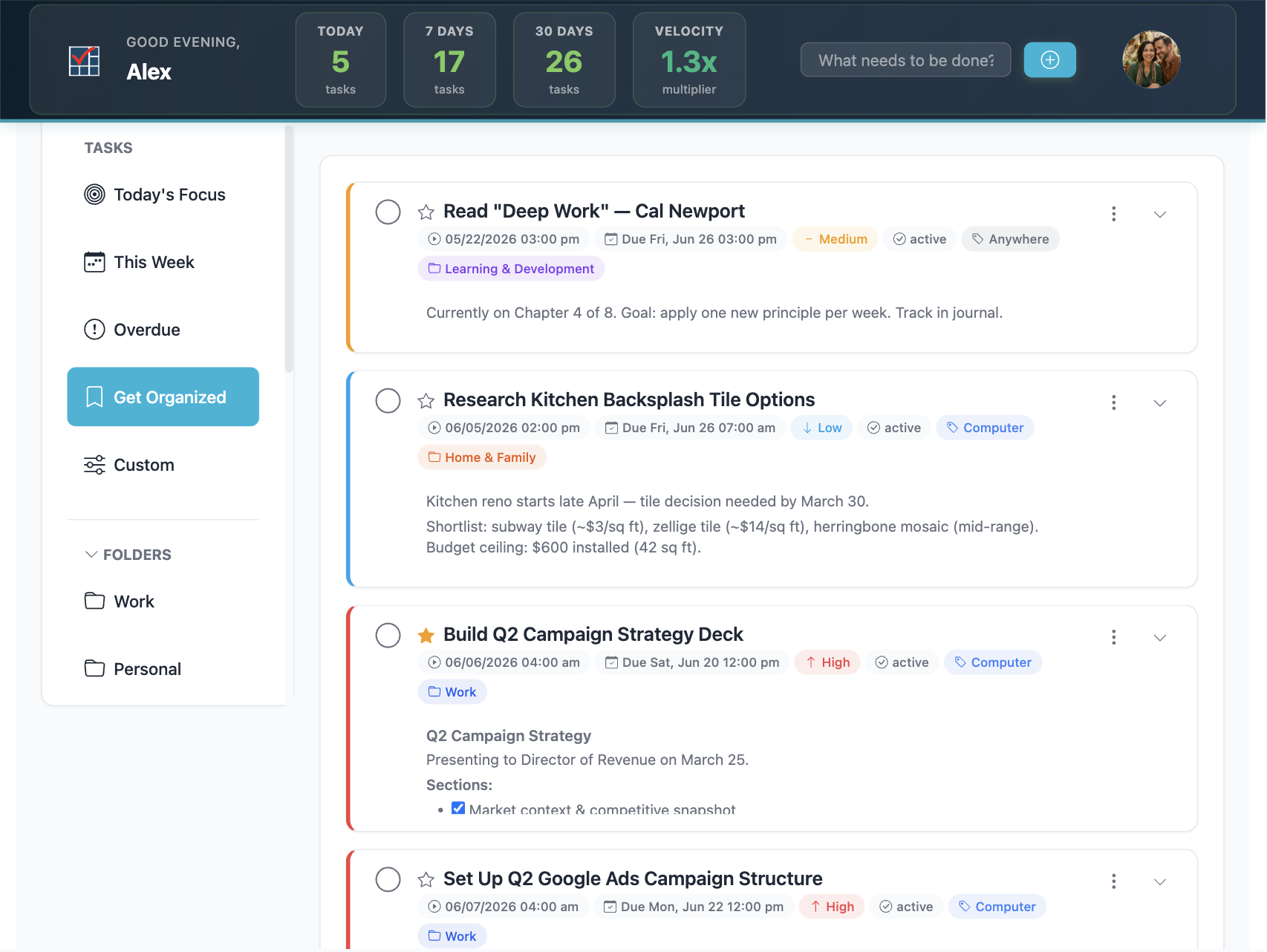
Capture, clarify, organize, reflect, engage. Principal Task speaks GTD natively — folders, contexts, priorities, statuses, and stars, close to how you already think. No plugins, no workarounds.

Start free See Premium
Next Actions — Principal Task
Organize your way

Every task, five dimensions.

Track context, folder, priority, status, and star — the five dimensions — on every task, then slice your list by any of them. Break the big ones down with subtasks.

Folder

Custom folders map to your projects and areas of focus, giving every task a clear home.

Context

Custom contexts track where and how a task gets done — @computer, @phone, @errands — so you engage the right list at the right moment.

Priority

Rank what matters so the next action is never in doubt. Sort and filter by priority across any view.

Status

Move tasks from inbox to next, waiting, and done — the clarify-and-organize backbone of your system.

Star

The priority flag you already trust. Star today's commitments and keep them in front of everything else.

Beyond the five

Subtasks

Limitless nesting turns any commitment into a project with a clear set of next actions underneath.

Capture → engage

Your whole workflow, in one place.

1

Capture & clarify

Everything lands in the GTD Inbox. Process it down: is it actionable? What's the very next physical action?

2

Organize by context & project

File next actions under a project folder and tag them with a context. Waiting-for and someday lists keep the rest honest.

3

Reflect — the weekly review

The Dashboard and saved filters make the review fast: empty the inbox, check projects for a next action, re-star what matters.

4

Engage with confidence

Pick a context, see exactly what's actionable now, and do it — trusting nothing fell through the cracks.

Keep the engine honest

Task Velocity

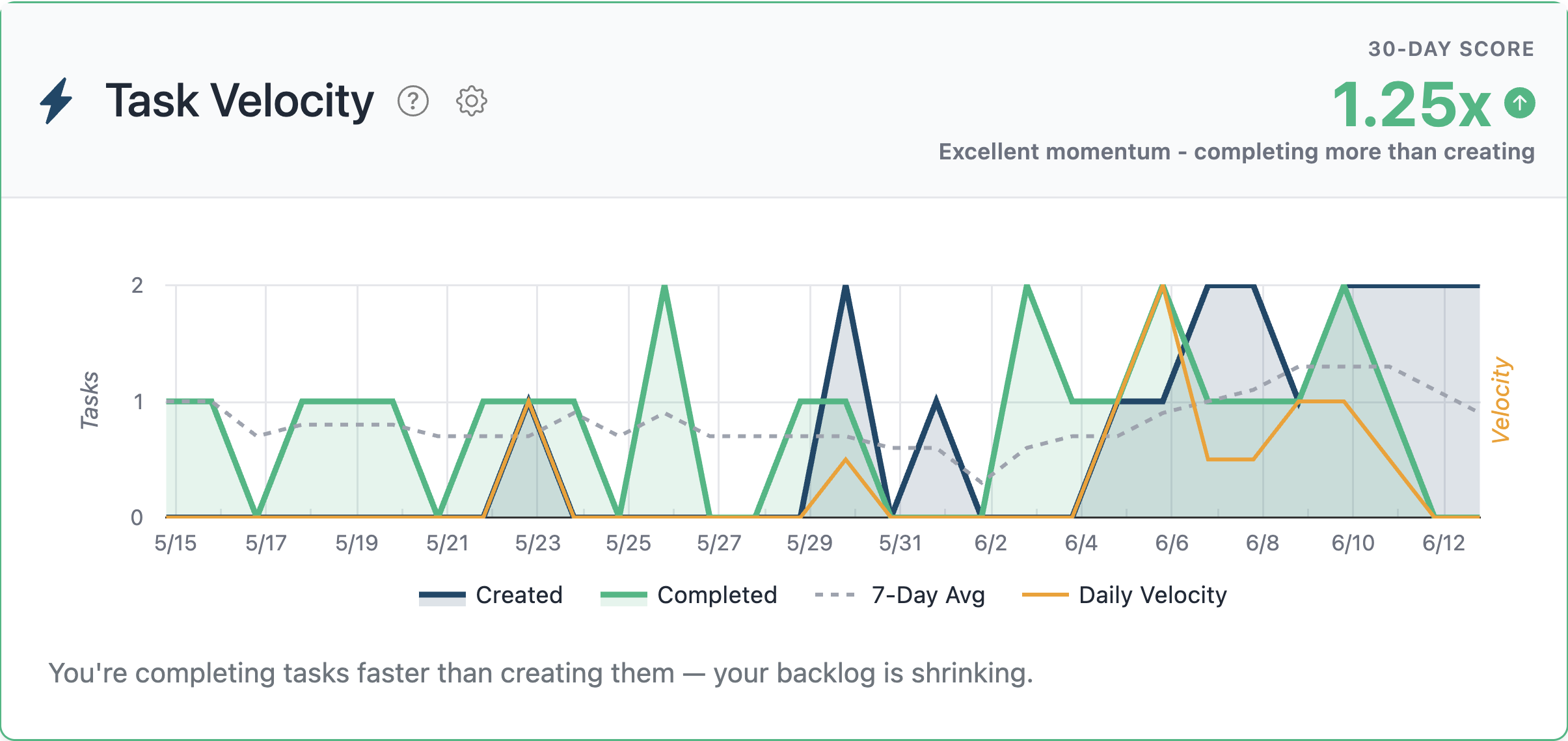
Your rolling 30-day ratio of tasks completed versus created. Above 1.0×, you're ahead. Below 1.0×, your list is growing faster than you can clear it — a signal worth investigating, not a number to game. The score itself is free for everyone.

Premium adds Task Velocity history — filter the score by folder, context, priority, or status to find exactly where the backlog is building. Inbox inflation, stale projects, a context that's quietly overloaded — the filtered score surfaces it.

It all lives in your Dashboard — Task Velocity history, an Activity heatmap of everything you've completed, and a System Health read on your whole setup.

Go Premium Free scorePremium history

What it's really telling you

Task Velocity, filtered — Principal Task

Filter by folder or context to find where the backlog hides. Premium

And the rest of the kit

Power where GTD needs it.

Kanban, any lens

Group by status, priority, folder, or context and move work forward with a single drag. Premium

Custom filters

Save the exact slices your review depends on — “@computer & starred,” “waiting over 7 days.”

Templates

Use public templates free; build your own private templates with Premium — your weekly review or project kickoff, one tap away.

Recurring tasks

Set it once and it comes back on its own — the weekly review, the monthly report, the standing 1:1.

Markdown notes

Headers, checklists, and links right on the task, so your reference material travels with the next action.

Activity

Your task history, mapped out day by day — spot your patterns at a glance. Premium

Not running GTD?

Two gentler ways in.

Your system, native

Run GTD the way it's meant to run.

Free for the core. Premium adds Task Velocity history, Kanban, and private templates.